
Free, Private Website Blocker for Chrome
Site Blocker is a free website blocker extension for Chrome. Block sites, single pages, keywords or regex patterns, and run timed Focus Mode sessions. No account, no tracking, and nothing is ever sent to us.
- 3,000+ Chrome users
- Free on Chrome Web Store
- Extension collects no data
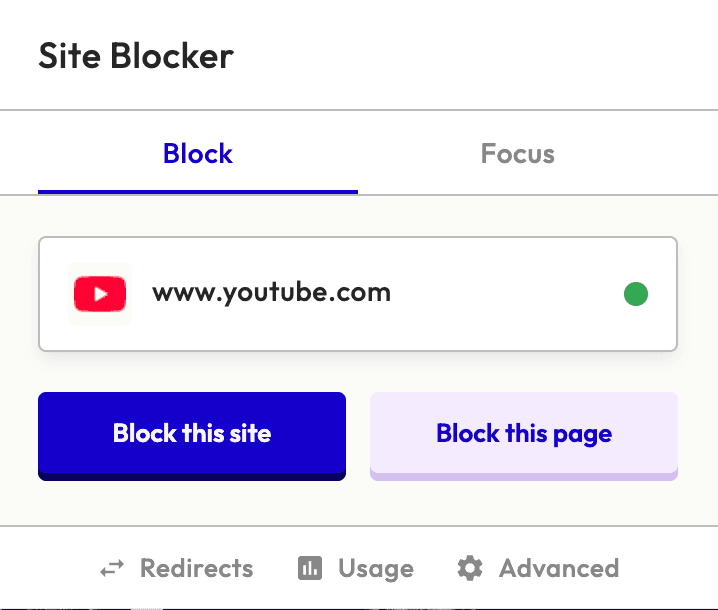
Block websites by site, page, keyword or regex
Six tools in one free site blocker extension, from one-click blocking to whitelist-only focus sessions.
Quick Site Blocking
One-click blocking from the popup. Block entire sites or specific pages instantly.
Advanced Rules
Keyword, URL path, and regex rules. Smart priority system ensures the right rule always wins.
URL Redirects
Redirect distracting sites to productive alternatives automatically.
Focus Mode
Whitelist-only browsing with timed sessions from 15 to 120 minutes.
Usage Statistics
Charts, heatmaps, and browsing pattern analytics — all local.
Privacy First
No accounts, no cloud, no analytics. Nothing is sent to us.
Focus Mode: block every website except the ones you need
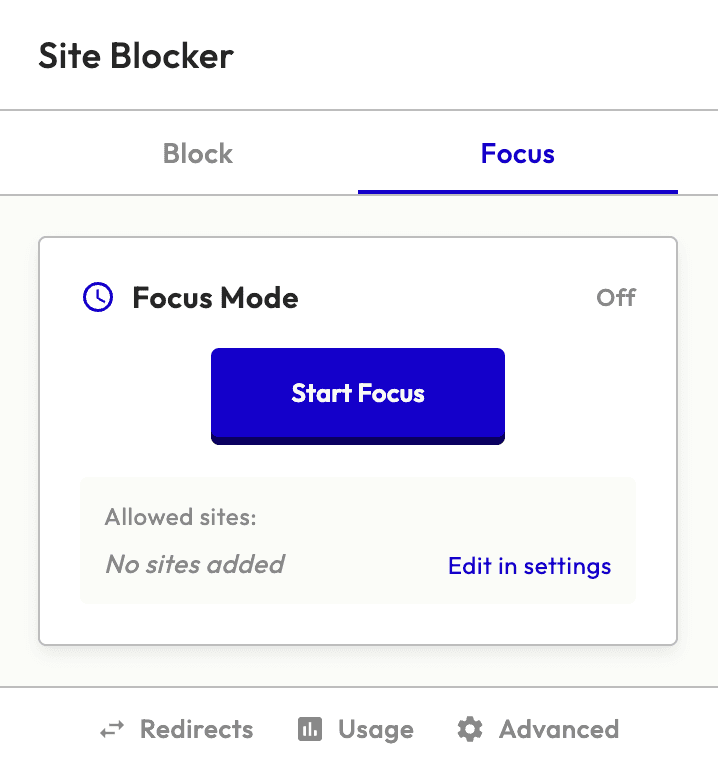
Focus Mode flips the script — instead of blocking specific sites, it blocks everything except the sites you whitelist. Set a timer, enter deep work, and let the extension guard your attention.
- Whitelist-only browsing — blocks ALL sites except your list
- Timed sessions — 15, 25, 45, 60, 90, or 120 minutes
- Live countdown timer in the popup
- Completion notification when session ends
See which sites you visit most, privately
Site Blocker charts the last 30 days of your Chrome history, so you can spot the sites you open most and block them from the same screen. The statistics are built on your device and never sent to us.
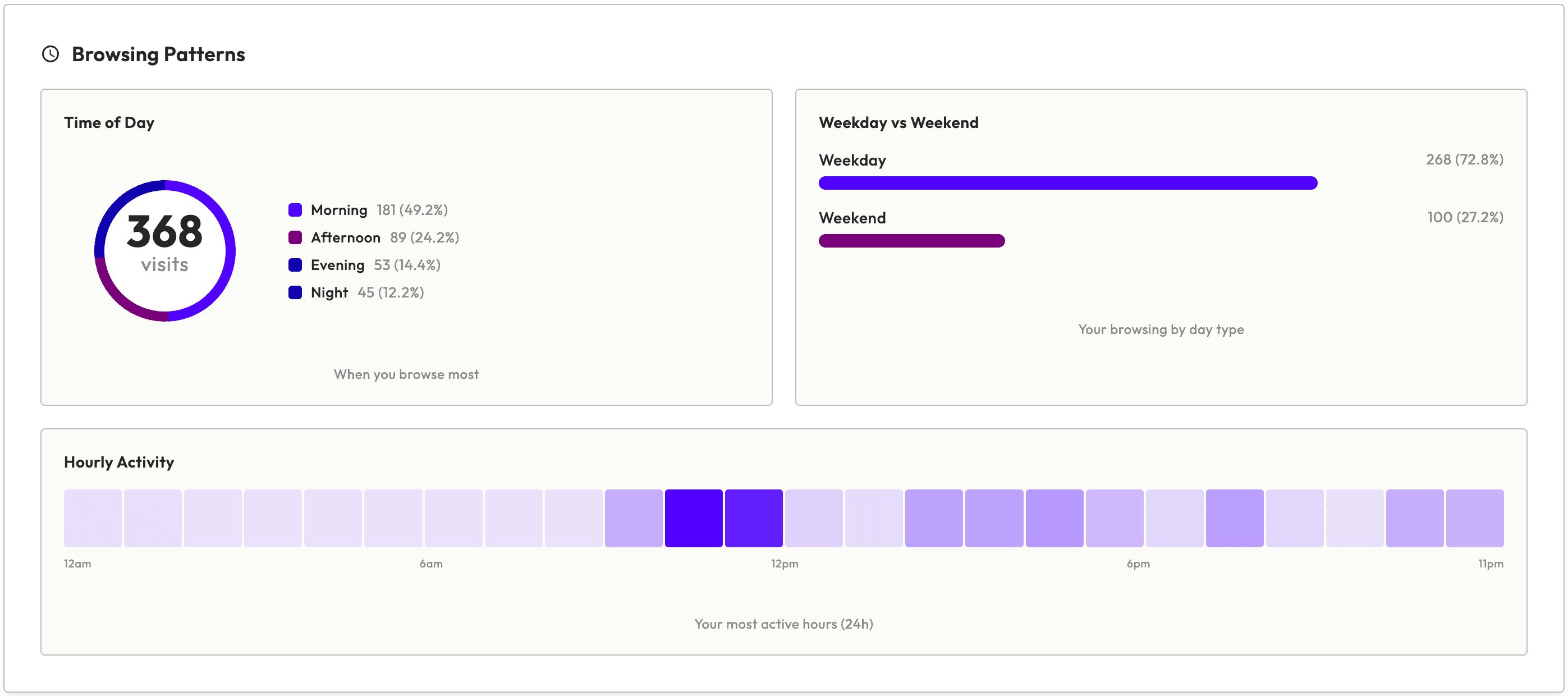
- Daily visits bar chart and top sites breakdown
- Time-of-day browsing patterns
- Hourly activity heatmap
- One-click blocking from your most-visited sites
How to block a website on Chrome in 3 steps
No account, no setup wizard. It takes about a minute.
Add Site Blocker to Chrome
Install it free from the Chrome Web Store. There is no account to create.
Block the site
Open the distracting site, click the Site Blocker icon, then Block this site. Or add keyword and regex rules in settings.
Start a focus session
For deep work, switch on Focus Mode and allow only the sites you need for 15 to 120 minutes.
Who uses a website blocker?
Four common ways people use Site Blocker to stay focused.
Remote and office workers
Block news, social media and shopping sites during work, or redirect them to your task list so the habit of opening a new tab sends you back to work.
Students
Start a Focus Mode session before you study, allow only your course sites and references, and everything else stays blocked until the timer ends.
Developers and writers
Write precise rules: block YouTube Shorts but keep tutorials, or block Reddit while allowing the one community you need for work.
Anyone who values privacy
A blocker has to see every address you visit. Site Blocker has no account and no server of ours to send it to, so we never see it.

A website blocker that collects no data
Site Blocker is built with a privacy-first philosophy. Everything runs locally in your browser — no servers, no accounts, no data collection. Ever.
No cloud
No accounts, no cloud, no sync
Local storage
All data stored in your browser
No tracking
No analytics, no tracking pixels
No ads
No advertising code and nothing to sell
Site Blocker vs BlockSite and StayFocusd
How the free, private option compares with two of the most popular Chrome website blockers.
| Feature | Site Blocker | BlockSite | StayFocusd |
|---|---|---|---|
| Price | Free | Free to install; paid plans | Free to install |
| Data disclosed on Chrome Web Store | None | Web history | Web history, user activity, website content |
| Keyword / regex rules | Yes / Yes | Yes / Not advertised | Regex not advertised |
| URL redirects | Yes | Yes | Not advertised |
| Schedules | No | Yes | Yes |
| Mobile apps | No | iOS, Android | Syncs limits with Android |
Last verified: . Competitor facts come from each Chrome Web Store listing; BlockSite pricing is on blocksite.co.
See the full comparisonWhat Site Blocker doesn't do
Site Blocker is deliberately simple: a site is blocked or it isn't, and you can always change your own rules. It does not have:
- Scheduled blocking by day or time
- Daily time limits per site
- A password or lock on your settings
- Mobile apps (it runs in Chrome, Edge and Brave on desktop)
If you need those, see Site Blocker vs BlockSite or Site Blocker vs StayFocusd for tools that cover these.
Website blocker FAQ
Everything you need to know about Site Blocker.